Reports and Analytics
Time & Expense Reporting
Create detailed time and expense reports, track project budgets, and explore your data with custom dashboards and charts.
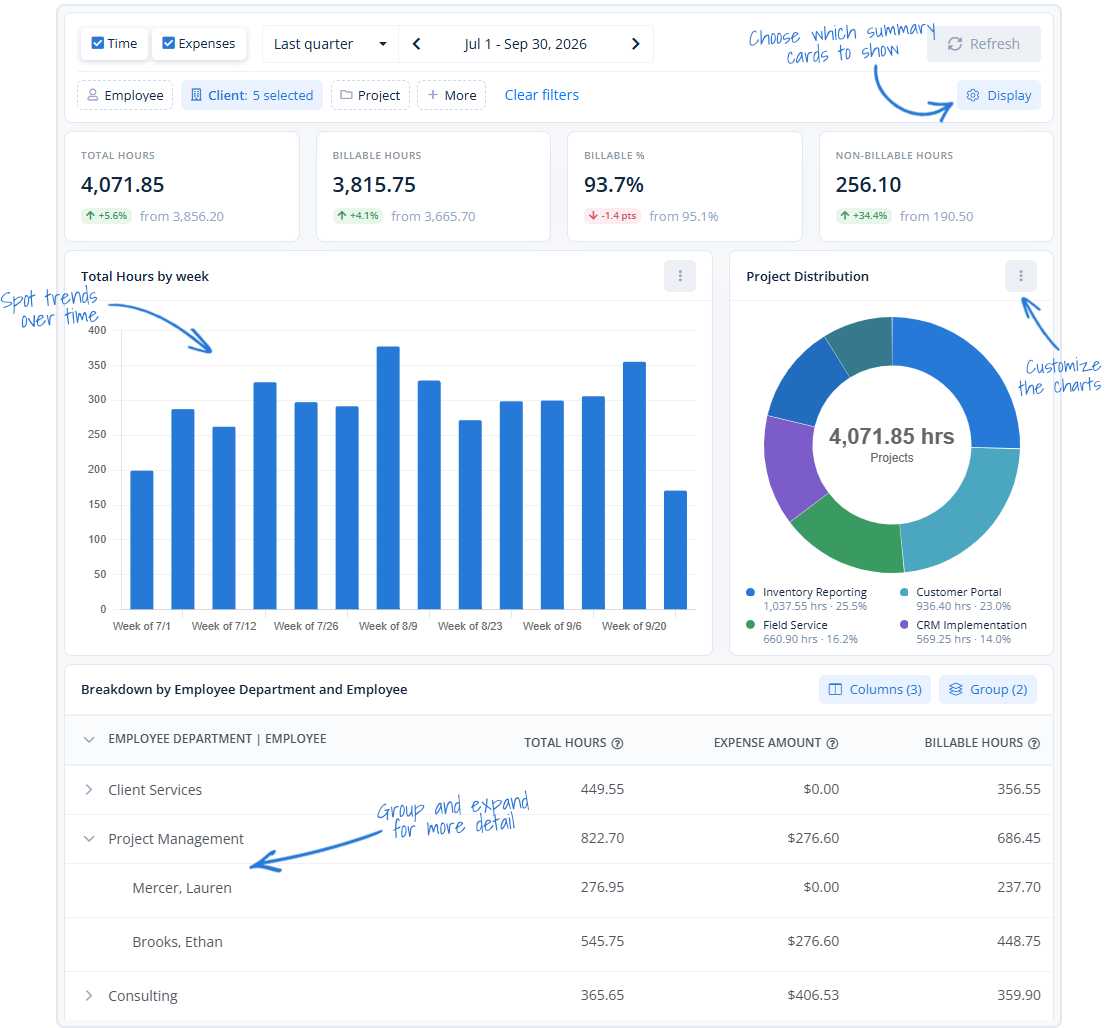
Three Ways to Explore Your Data
Summary
See key metrics, trends, and charts with customizable dashboards and grouped breakdowns.
Detailed
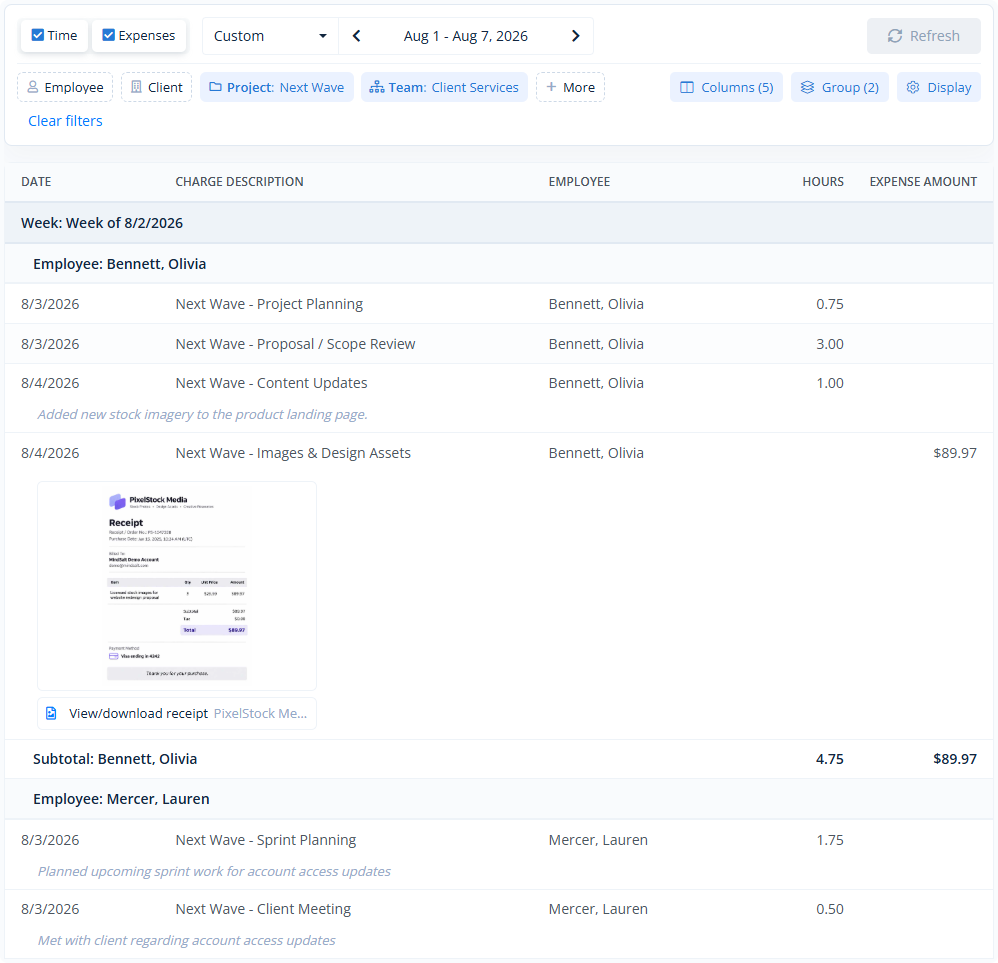
Choose your columns, filters, and groupings. Combine time, expenses, comments, and receipts in one report.
Explore
Use ready-made reports with built-in rules and calculations to track budgets, missing hours, and more.
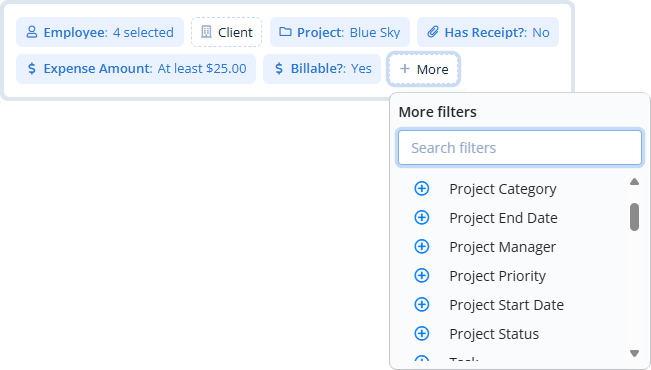
Flexible Filters
Easily narrow down your reports with flexible filters for employees, clients, projects, expenses, and more, including your own custom fields. Combine filters to find exactly the information you need.
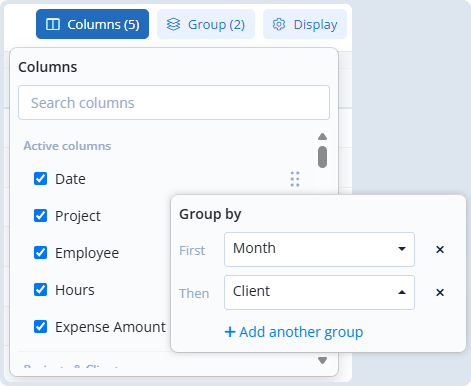
Columns and Grouping
Select the columns you want, arrange them in any order, and group results by client, project, employee, week, month, and other options. Grouped data is automatically subtotaled for you.
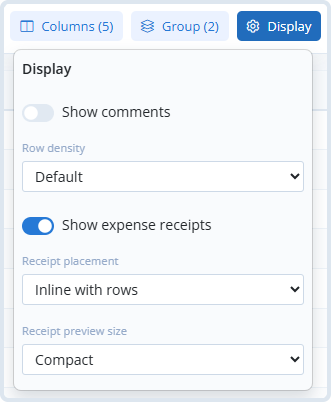
Display Options
Customize how your reports look with adjustable row spacing, comments, and expense receipt options. Display receipts alongside expense entries or at the end of the report, with your choice of preview size.
Save Reports
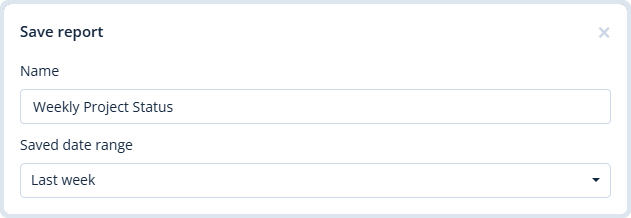
Save your favorite reports with all your filters, columns, grouping, and display settings. Choose fixed or relative date ranges so your reports are ready to go when you open them.
Share Reports
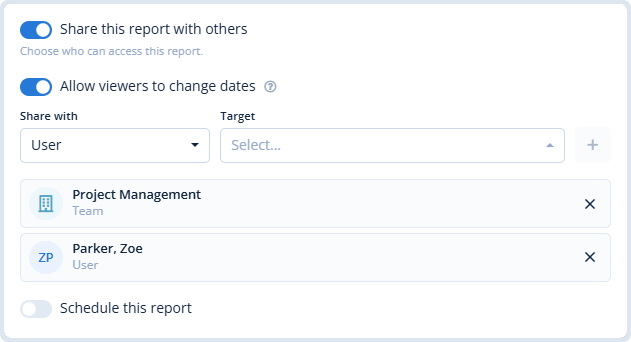
Share reports with individual users or teams. Control who can access each report and make it easy for your team, or customer, to view the same information.
Schedule Reports
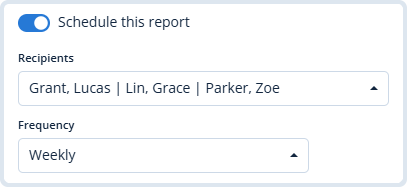
Schedule reports to be sent via email daily, weekly, or monthly. Start each week with an updated look at your project budgets, automatically delivered to your inbox.
Summary Reports
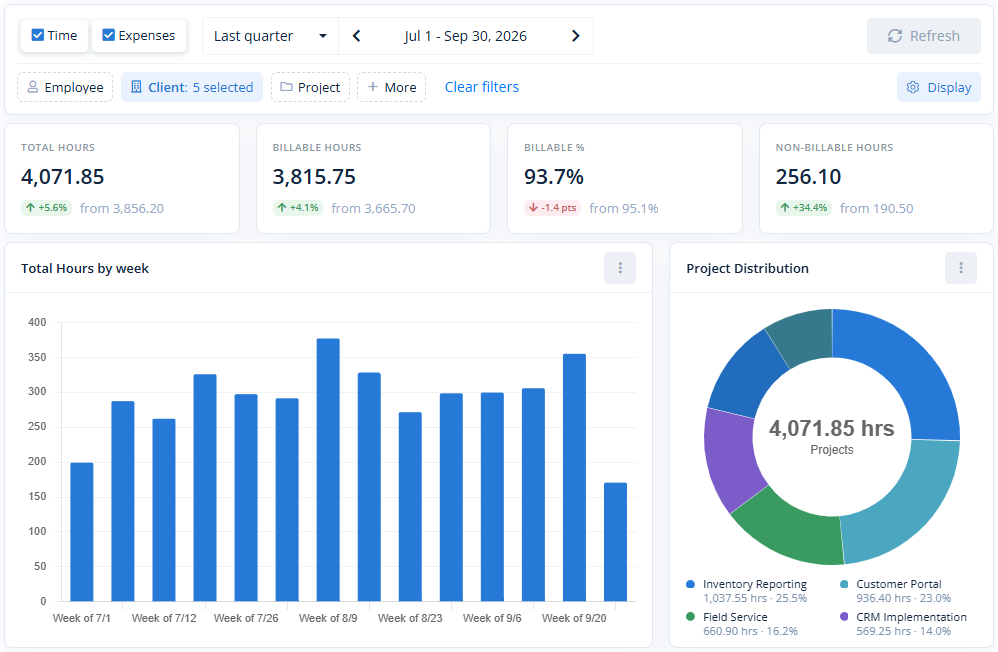
Get a clear overview of your time and expenses with a customizable dashboard of key metrics, charts, and grouped breakdowns. Track trends, compare billable hours, and see where your team’s time and expenses are going.
Your Data at a Glance
Customize your dashboard with the metrics, charts, and breakdowns you want to see, all in one place.
Detailed Reports
Build detailed reports with time entries, expenses, or both, choosing exactly what information to include. Add employee hours, project details, comments, and receipts, with flexible grouping and subtotals.
Combined Hours and Expenses
See hours worked, project expenses, comments, and receipts together in one report.
Explore Reports
Explore Reports are specially designed to help you dig deeper into your data with advanced calculations, specialized views, and customizable rules. Track project budgets, find missing hours, and identify items that need attention.
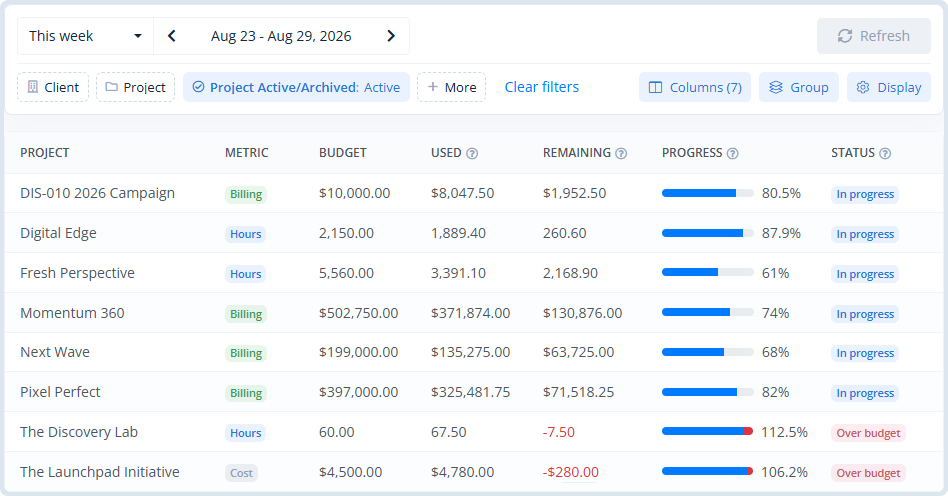
Project Budget Performance
Track project and task budgets with a clear view of amounts used, remaining balances, and budget status.
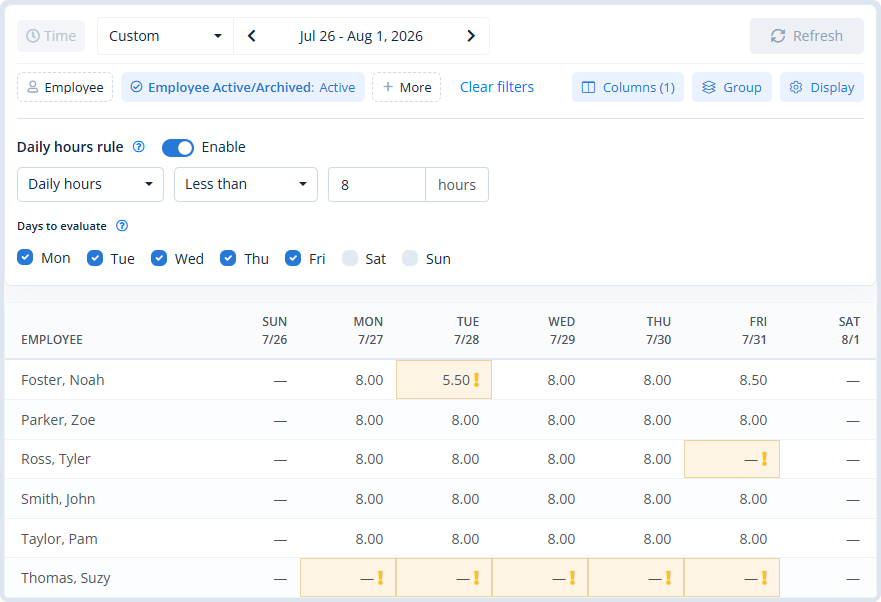
Employee Daily Hours
Quickly spot employees with missing or insufficient hours based on your daily time requirements.
Plenty More to Explore
Explore Reports cover a wide range of everyday reporting needs, with specialized options to help you find the information you’re looking for.
Employees with no time
See which employees haven’t entered any time during the selected period.
Low billable utilization
Identify employees with low billable percentages and review how their time is being spent.
Employees with unsubmitted time
Find employee time entries that haven’t been submitted for approval.
Pending approvals
See which timesheets and expense reports are waiting for approval, including who’s responsible for approving them.
Expenses without receipts
Find expenses missing receipts, including those above a specific amount.
Project assignments
Review which employees are assigned to each project and how your teams are organized.
Custom Reporting
Reporting Customized for Your Business
Every business has unique reporting needs. MindSalt offers plenty of flexibility to build your own reports, but when you need something more specific, we’ll work directly with you to create a solution that fits your business.
More Reporting Features
More Ways to Work With Your Data
Custom summary metrics
Select key performance indicators to display at the top of your Summary report.
Report exports
Export data to CSV or create beautiful PDF reports with your company logo.
Sharing and permissions
Share reports with users, departments, or roles based on their permissions.
Budget vs. actuals
Compare planned hours and costs against real results.
Project profitability
See revenue, cost, and profit across projects and clients.
Interactive charts
Compare trends across projects and employees with customizable charts.
Saved reports
Save frequently used reports for faster access later.
Costs and billing
Report on labor costs, billing amounts, and other financial data.
FAQ
Common Reporting Questions
What is time and expense reporting software?
Time and expense reporting software helps teams turn timesheets, expenses, budgets, billing, and project activity into reports they can use for payroll, invoice generation, profitability, and planning. MindSalt keeps billable hours, expenses, and project details together so teams can create invoices and answer questions without chasing spreadsheets.
Can managers see how their projects are performing?
Yes. MindSalt helps managers review project time, expenses, budgets, and profitability so they can see what is on track and what needs attention.
Can I report on project budgets?
Yes. MindSalt provides budget reporting for hours, labor costs, billing amounts, and expenses. You can review amounts used, remaining balances, and percentage consumed, including project-level, task-level, and recurring (monthly, quarterly, and yearly) budgets.
Can finance teams use reports for billing and payroll?
Yes. Reports can support payroll exports, client invoicing, reimbursements, and internal compliance checks with time and expense data in one place.
Can reports show billable and non-billable time?
Yes. MindSalt can report on billable and non-billable hours so teams can better understand utilization, internal work, and client billing.
Can leadership see which clients or projects are most profitable?
Yes. MindSalt can compare revenue, cost, time, expenses, and budgets to help leaders understand profitability across projects and clients.
Can reports help find missing or incomplete timesheets?
Yes. Managers can use reports to review incomplete, unsubmitted, pending, or approved timesheets before payroll or billing deadlines.
Can reports be filtered by client, project, employee, or date range?
Yes. Reports can be narrowed by key details like client, project, employee, task, status, and custom date ranges.
Get started with MindSalt
Discover how better reporting can help you improve projects, profits, and planning.
Try all features for 30 days, totally free.
No credit card. No setup fees. No nonsense.