
Time Tracking
Track Time with Confidence and Clarity
Simple time tracking software for project teams. Track hours, manage online timesheets, and keep billable work easy to follow.
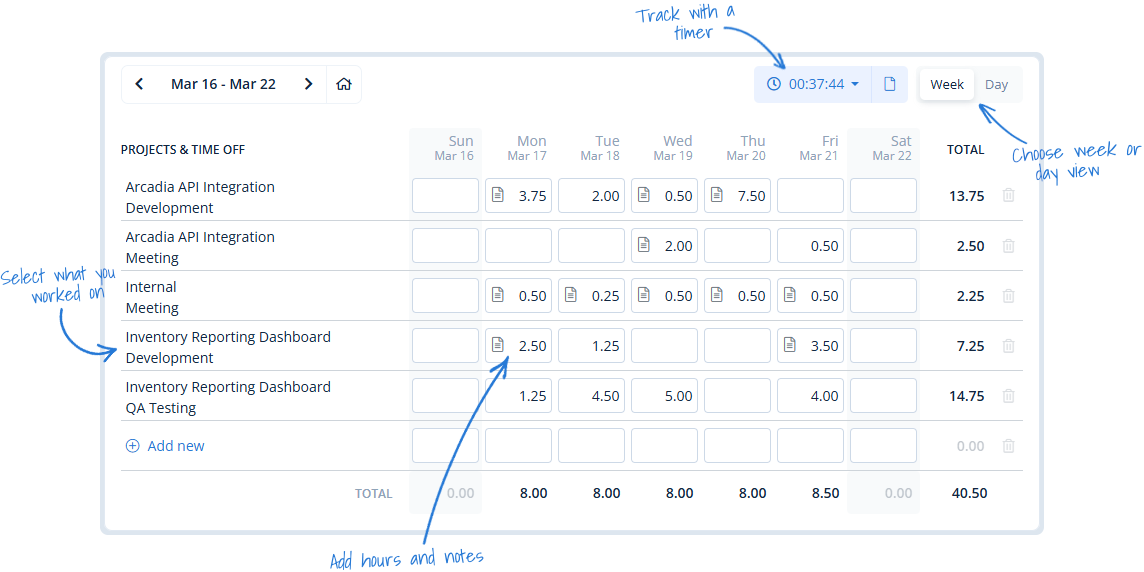
Time tracking software that fits the way your team works
MindSalt keeps time entry simple without losing the details that matter. Teams can track hours by client, project, task, or activity, then use that time for approvals, billing, payroll, budgets, and reporting. It’s time tracking software that keeps the day-to-day work easy while giving managers the details they need.
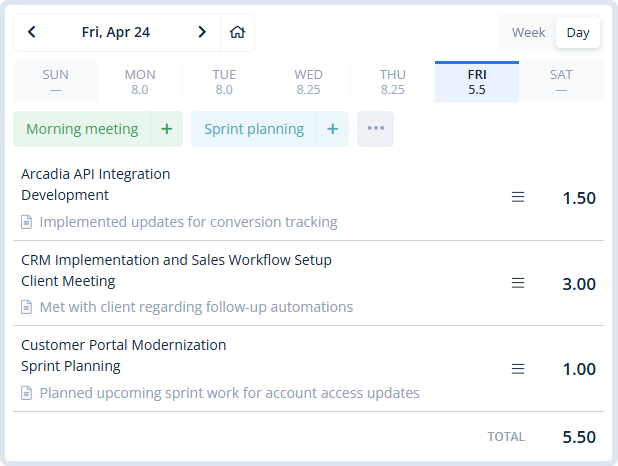
Day View Keeps Daily Work Simple
- See the day clearly
Focus on a single day’s work without the clutter of a full timesheet. - Add repeat work fast
Use favorites to quickly add common tasks like daily meetings, recurring admin work, or regular project updates. - Keep the full week in view
See weekly totals at a glance and jump to any day when you need to review or make changes.
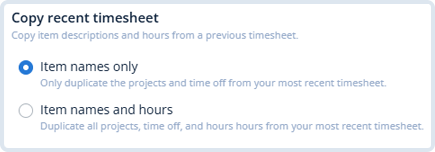
Copy Recent Work
Copy recent activities into your current timesheet, then update only what changed. It keeps repeat project work quick without making employees rebuild the same week from scratch.
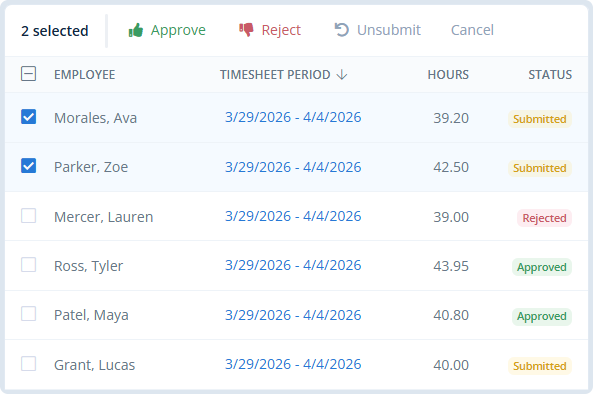
Simple Timesheet Approvals
Approvers can quickly see timesheets that need attention, review the details when needed, and approve or reject one or many submissions without slowing down the process.
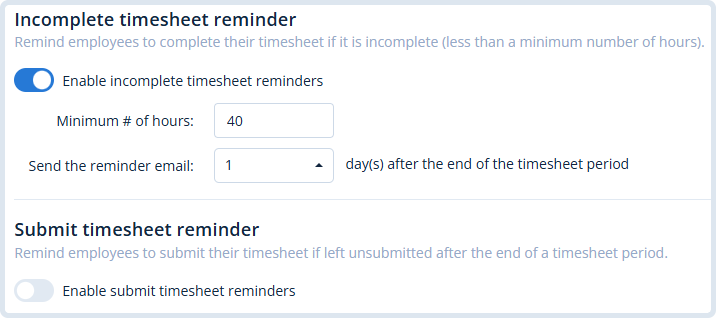
Timesheet Reminders
Automatically remind employees when timesheets are incomplete or still need to be submitted, helping teams stay on schedule without managers chasing everyone down.
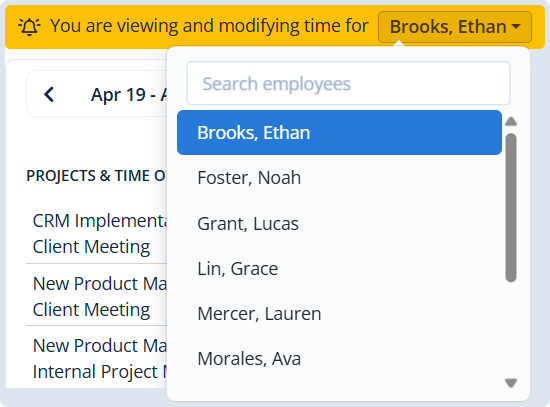
Team Timesheets
Admins and managers can update employee timesheets when corrections are needed, helping keep records complete and payroll or billing on track.
Built for Better Time Tracking
Why teams choose MindSalt for time tracking
Time tracking should be easy, not annoying. MindSalt helps teams log hours, track project work, and capture billable time without the usual timesheet drama.
Start a timer or enter hours manually
Employees can track time as they work or enter hours later, making it easy for both desk and field teams.
Choose your timesheet layout
Choose daily, weekly, bi-weekly, semi-monthly, or monthly timesheets to match your payroll cycle, invoicing process, or reporting needs.
Track by project and task
Employees select from assigned projects, tasks, and activities so every hour is tied to the right work.
Prevent timesheet gaps
Add helpful prompts like required notes, reminders, and simple checks so employees know what’s needed before they submit.
Track time wherever work happens
Employees can enter time from the office, at home, or in the field using any device.
No instruction manual needed
The interface is simple and familiar, making it easy for employees to track time from day one.
More Time Tracking Features
More ways to keep time tracking accurate and useful
Track time off
Add vacation, sick time, holidays, and other PTO.
Recurring budgets
Set budgets that repeat on a regular schedule.
Advanced rates
Use different rates by employee, project, or task.
Track which hours should be billed and which are internal.
Automated accruals
Keep PTO balances updated automatically.
Audit-friendly controls
Support stricter time tracking and review requirements.
Bulk edit
Update multiple time entries at once.
Export
Download your data in Excel, CSV, or PDF.
Related Features
Time Off
Approvals
Projects
Reporting
FAQ
Common Time Tracking Questions
What is time tracking software?
Time tracking software helps teams record employee hours, connect work to projects or tasks, review timesheets, and use that information for billing, payroll, budgets, and reporting. MindSalt keeps that process simple so teams can track the work without turning timesheets into a chore.
Can employees track time by project and task?
Yes. Employees can select assigned projects, tasks, or activities so each time entry is tied to the right work.
Can employees enter time daily or weekly?
Yes. MindSalt supports different timesheet layouts, including daily, weekly, bi-weekly, semi-monthly, and monthly views. Employees can also use Day View to focus on one day at a time, save favorite activities, and quickly add common tasks.
Can MindSalt track billable and non-billable hours?
Yes. Teams can track billable and non-billable hours so project work, internal time, billing, and profitability are easier to review.
Can employees copy time from a previous timesheet?
Yes. Employees can copy recent activities into the current timesheet and update only what changed.
Does MindSalt support time tracking reminders?
Yes. MindSalt can remind employees when timesheets are incomplete or still need to be submitted. Reminders are easy to set up, and you choose when they go out.
Can managers edit employee timesheets?
Yes. Admins and managers can update employee timesheets when corrections are needed, based on their permissions.
Get started with MindSalt
See how easy time tracking can be.
Try all features for 30 days, totally free.
No credit card. No setup fees. No nonsense.